Inside SupaSet

The details,
worked out.

From the first warm-up to the next session.
Here’s what training with SupaSet looks like.

Built for iPhone.
Yours, even offline.

01 / Logging Free

One set
at a time.

Log a weight and a few reps. Your previous sets stay beside today’s, so you always have a starting point.

Your workout, your way.
Start fresh or use a saved workout. Add supersets, notes and different set types as you go.
A record of the session.
Finish with a summary of the work. Find it in your history whenever you need it.
SupaSet’s workout logger with previous sets, weight and rep targets.
During the work
The current workout finish summary with total work and personal records.
After the last set

02 / Live Activities Free

Less unlocking.
More recovering.

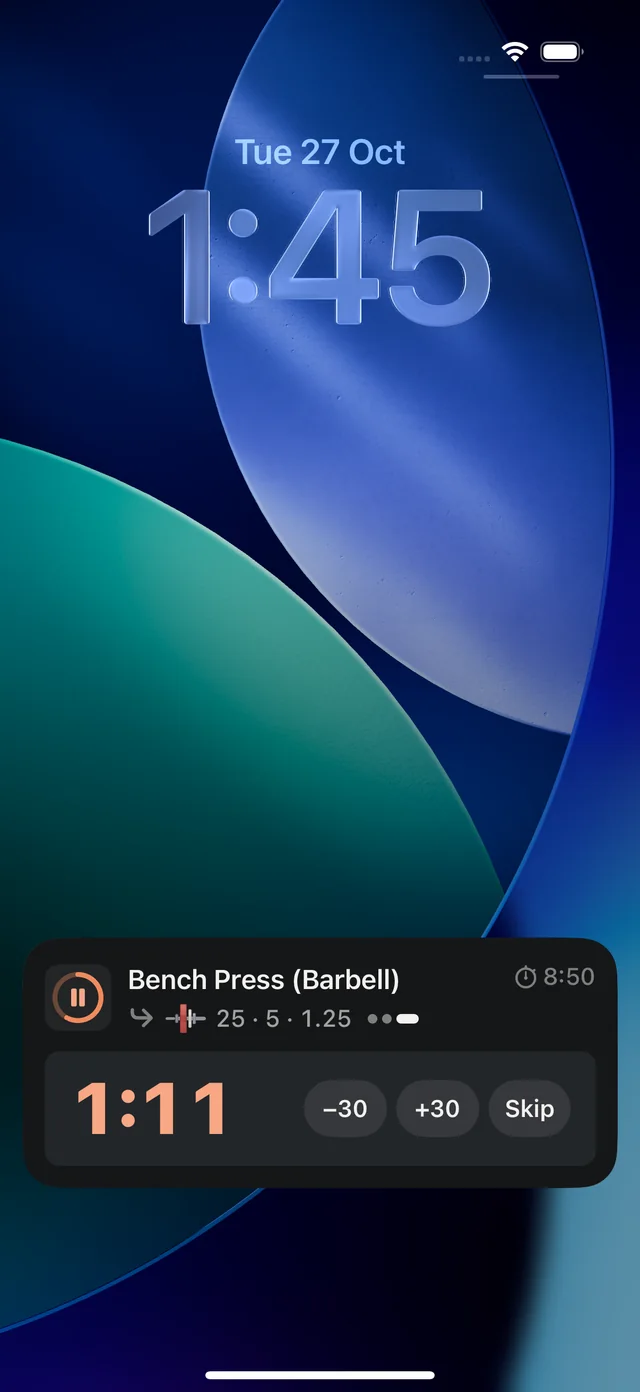
The rest timer follows you to your Lock Screen and Dynamic Island, with the upcoming set and workout controls close by.

  • Your next set, at a glance
  • Rest time, right where you need it
  • Keep the workout moving
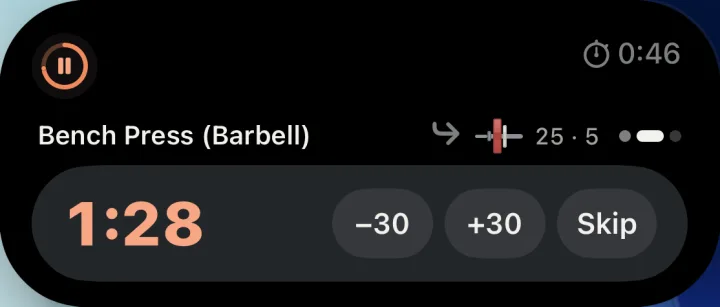
The expanded Dynamic Island, with SupaSet’s rest timer and controls.

Dynamic Island

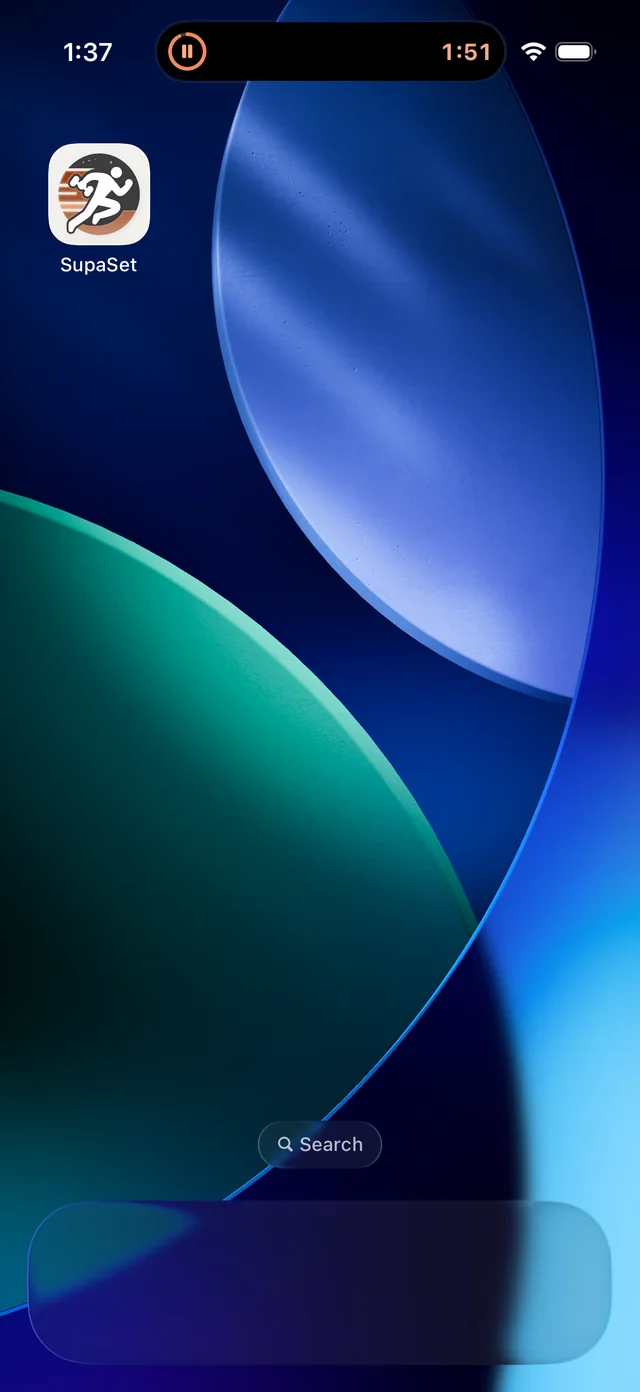
SupaSet’s rest timer and next set on the iPhone Lock Screen. The same workout’s rest timer in the compact Dynamic Island.
Expanded Dynamic Island with the rest timer, next set and workout controls.
01 / Lock Screen02 / Dynamic Island

03 / Locations Free

Every gym
has its own setup.

The dumbbells at home. The machines at your gym. Save each place once, then choose where you’re training.

The equipment that’s there.
Keep each location’s equipment, bars and plates together.
The weights that make sense.
Save weight steps and how each lift’s load is measured at that place. Warm-ups and plate calculations use that setup.
Locations in SupaSet, showing the saved places where you train.
Choose your place
A location’s equipment setup, with bars, plates and weight settings.
Make it your own

04 / Programs PRO

Build a routine.
Find your rhythm.

Pick from 32 programs by experience, schedule and goal, or arrange your own saved workouts. Come back, and your next workout is ready.

Drag workouts into order. Leave notes for the program or a cycle. Skip a session when life changes the plan.

Plan, History and Progress keep the routine and the work in the same place.

05 / Progress Free

Small wins.
A longer view.

A new best. Another week in the gym. A lift that’s finally moving again. Keep a record of all of it.

Your lifts, over time.
Follow top sets and estimated max. Your stats are included in the free app.
Keep the good ones.
Personal records show what you beat and by how much, right as you log.
Find that old workout.
Browse history, repeat a session, or fix a number you got wrong. Weekly streaks leave room for rest days.
The current Bench Press Progress screen, with a strength chart and recent sessions.
Your lifts / Over time

06 / The little helpers Free

Save the maths
for later.

What's going on the bar?

Add a plate or change the weight. The calculator shows what goes on each side, in kilograms or pounds.

Try it here

Warm-ups, worked out.

Get warm-up sets based on your working weight and the equipment at your gym.

20kg × 1040kg × 560kg × 3

Example warm-up

100kg

25 + 15 a side

Tap a plate on the bar to take it off.

Add to each side

PRO A little more direction

A starting point
for what’s next.

Programs are part of Pro. So are automatic targets, next-set tips and the assistant.

02

A target for your next set.

Pro uses your training history to suggest weights and reps. Hit your targets and move up when your chosen rule says it's time.

Last time80 kg8 · 8 · 7
Today80 kg8 · 8 · 8 ✓
Next time82.5 kg6 · 6 · 6 ↗

Example: a 6–8 rep range, moving up after one completed workout.

Next-set tips help after an easy or missed set. If a lift stalls, Pro can suggest a lighter reset or a swap. You decide what to apply.

03

Talk through your training.

Ask about your recent workouts, or build a session around the time and equipment you have.

Something you could ask

“I've got 40 minutes and dumbbells. Help me plan a workout.”

Review the workout or program before saving it. Nothing gets added without you.

The assistant needs sign-in and internet. Up to 30 questions a day.

More room for your routines, too: Pro raises the limits on saved workouts and custom exercises. Pricing will be shared at launch.

Yours to keep

Your workouts.
Your data.

No signal? No problem.

Workouts save on your iPhone. No account needed to start logging.

Bring your history with you.

Import from another logging app. Export as CSV whenever you like.

Good to know

A few answers.

Can I download it yet?

Not yet. SupaSet is in testing. The download link will be right here when it's ready.

Which iPhones does it run on?

Any iPhone running iOS 26 or later.

Is it free?

Logging, locations, history, records, stats, warm-ups and the plate calculator are free. Pro adds programs, progression, next-set tips and the assistant. Pricing will be shared at launch.

Does it handle dumbbells, machines and bodyweight?

Yes. Choose per-hand, total or machine-stack weight for each lift. You can also log bodyweight exercises, added weight, assistance, holds and carries.

Can I use it at more than one gym?

Yes. Save the equipment, bars and plates at each gym. Your warm-ups and plate calculations will use what's there.

Kilograms or pounds?

Both. Switch whenever you like; your history stays the same.